AI for Nonprofits: Automate Workflows, Build AI Agents, and Work Smarter
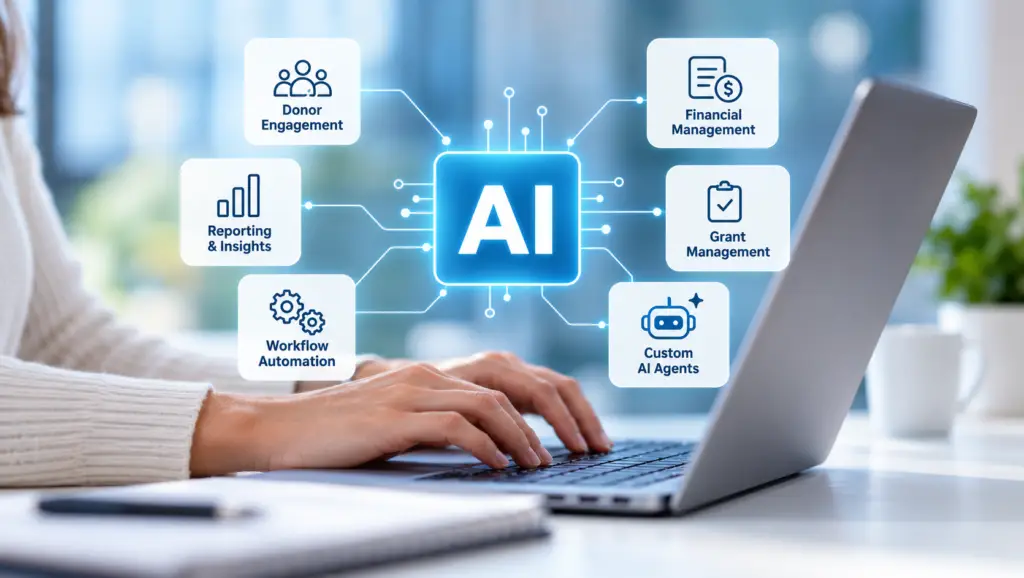
Explore practical ways nonprofits can implement AI, automate everyday processes, and build intelligent agents with support from Sylogist and the Microsoft ecosystem.
Artificial intelligence is changing how nonprofit organizations operate. But for many nonprofits, the biggest question is no longer “What is AI?” It’s “How can we actually use AI to make our work easier?”
From managing donor relationships and processing financial information to creating reports and responding to routine inquiries, nonprofit teams handle countless tasks that take time away from their mission.
AI for nonprofits is about turning these everyday processes into opportunities for smarter, more efficient operations.
With the right technology and implementation strategy, nonprofits can introduce AI-powered automation, create custom AI agents, and connect information across their existing systems.
And with Microsoft-powered solutions like SylogistMission CRM and ERP, organizations have a foundation for bringing AI into fundraising, financial management, and day-to-day operations.
What Can AI Actually Do for Nonprofits?
AI goes far beyond generating emails or summarizing documents. When integrated with nonprofit technology, it can help teams automate repetitive work, analyze information, and make better-informed decisions.
Here are six practical areas where nonprofits can implement AI.
1. Automate Everyday Administrative Workflows
Nonprofit employees often spend hours completing repetitive administrative tasks.
AI and workflow automation can help reduce this manual workload by supporting processes such as:
Creating follow-up tasks after donor meetings
Sending reminders for upcoming deadlines
Routing requests to the appropriate department
Updating records based on approved workflows
Summarizing meetings and identifying action items
Preparing routine communications and reports
For example, when a development officer completes a donor meeting, an automated workflow could generate a meeting summary, suggest next steps, and create a follow-up task.
Instead of manually completing each step, staff can focus on strengthening donor relationships.
How Sylogist can help: SylogistMission CRM operates within the Microsoft ecosystem, creating opportunities to connect CRM information with Microsoft 365, Copilot, and Power Platform automation tools.
2. Build Custom AI Agents for Nonprofit Operations
One of the most promising applications of AI for nonprofits is the development of AI agents.
Unlike a traditional chatbot that primarily answers questions, an AI agent can be designed to retrieve information, follow defined processes, and perform approved actions across connected systems.
These agents can be configured around specific nonprofit responsibilities.
Examples of AI agents nonprofits could implement:
| AI agent | Potential application |
|---|---|
| Donor engagement agent | Summarize donor histories and recommend follow-up actions |
| Grant management agent | Monitor grant deadlines, requirements, and reporting tasks |
| Finance assistant agent | Help staff retrieve financial information and prepare summaries |
| Constituent support agent | Answer common questions and route requests to staff |
| Reporting agent | Gather approved data and prepare recurring report drafts |
| Volunteer coordination agent | Assist with scheduling, reminders, and routine inquiries |
Imagine a fundraising team asking an AI agent:
“Show me major donors who haven’t received a follow-up in the past 90 days.”
A properly configured agent with authorized access to CRM data could retrieve relevant records and prepare a suggested outreach list.
Or imagine a finance employee asking:
“Which grant reports are due next month?”
An agent connected to the appropriate grant-management records could identify upcoming deadlines and help staff prepare.
These are examples of workflows that could be designed and implemented—not features that should be assumed to work automatically out of the box.
How Sylogist can help: Through a Microsoft-based technology environment, organizations can explore custom agent development using tools such as Microsoft Copilot Studio, with appropriate integrations, permissions, and workflow design.
3. Improve Fundraising with AI-Powered Donor Insights
Nonprofits collect valuable information about their donors, including giving histories, engagement activity, campaign participation, and communication preferences.
However, turning that information into actionable insights can be challenging.
AI can help fundraising teams:
Identify patterns in historical giving
Recognize potential donor engagement opportunities
Segment donors based on behavior and interests
Support giving forecasts
Prioritize outreach activities
Draft personalized communications
For example, an advancement team could use AI-assisted analysis to identify supporters whose giving patterns suggest they may be ready for additional engagement.
Rather than relying entirely on manual spreadsheets, teams can use data-driven insights to inform fundraising decisions.
How Sylogist can help: SylogistMission CRM supports donor management, fundraising intelligence, reporting, and Microsoft-powered AI capabilities that help advancement teams work with connected constituent information.
4. Streamline Nonprofit Financial Management
AI and automation aren’t limited to fundraising.
Nonprofit finance teams manage complex responsibilities involving fund accounting, grants, budgets, expenses, restricted funds, and financial reporting.
These processes often involve repetitive data entry, reconciliations, approvals, and document preparation.
AI-assisted workflows could help organizations:
Prepare financial summaries
Identify unusual transactions for review
Route expense approvals
Organize grant-related documentation
Support budgeting and forecasting
Reduce repetitive reporting work
For example, an automated process could notify a finance manager when an expense requires approval or when a grant-reporting deadline is approaching.
An AI assistant could also help authorized employees locate financial records and prepare preliminary explanations of financial trends.
How Sylogist can help: SylogistMission ERP provides nonprofit-focused financial management capabilities, including fund accounting, grants management, expense management, and reporting. Microsoft automation and AI technologies can support additional workflows around these processes.
5. Connect AI with the Microsoft Tools Your Team Already Uses
One challenge nonprofits face when implementing AI is adding yet another disconnected application.
Employees may already work across Outlook, Teams, Excel, CRM, ERP, and reporting tools.
A more practical approach is to integrate AI into the systems employees already use.
Within the Microsoft ecosystem, organizations can explore technologies such as:
Microsoft Copilot: AI assistance for supported productivity and business workflows
Microsoft Copilot Studio: Tools for creating and configuring custom AI agents
Microsoft Power Automate: Workflow automation across supported applications
Microsoft Power BI: Dashboards, analytics, and reporting
Microsoft Dynamics 365: Business applications and connected organizational data
Microsoft Azure: Cloud infrastructure and AI development services
For nonprofits using SylogistMission, this ecosystem creates opportunities to introduce AI without treating it as an entirely separate technology initiative.
The goal is to connect people, processes, and information so staff can spend less time switching between systems.
6. Improve Reporting and Organizational Visibility
Nonprofits are accountable to donors, boards, grantmakers, and other stakeholders.
Preparing reports for these audiences can require information from multiple systems.
AI-assisted reporting and automation can help teams:
Compile information from approved data sources
Prepare draft board-report summaries
Highlight fundraising trends
Identify budget variances
Summarize campaign performance
Reduce manual report preparation
For example, an executive director could request a summary of fundraising performance for the previous quarter.
With the right data connections and permissions, an AI-powered reporting workflow could help retrieve relevant information and prepare a draft for staff review.
This makes it easier for nonprofit leaders to access timely information and focus on strategic decisions.
How Can Nonprofits Get Started with AI Implementation?
Successful AI adoption doesn’t require automating everything at once.
A practical approach begins with identifying the processes that consume the most time or create the greatest operational challenges.
Step 1: Identify Opportunities for Automation
Start by asking employees which tasks they repeat every day or every week.
Look for activities involving manual data entry, repeated communications, information retrieval, or routine approvals.
Step 2: Evaluate Your Existing Technology
Determine whether your current CRM, ERP, and productivity systems can support AI integrations and automation.
Connected data and reliable processes are essential foundations for useful AI applications.
Step 3: Select a Practical First Use Case
Choose a manageable project with a measurable outcome.
For example, automating donor meeting summaries or grant deadline reminders may be a more achievable starting point than attempting to automate an entire department.
Step 4: Design the Right AI Agent or Workflow
Not every task requires an AI agent.
Some processes are best handled through traditional workflow automation, while others benefit from an AI assistant that can interpret requests or work with information.
The right solution depends on the complexity of the task, the systems involved, and the level of human oversight required.
Step 5: Establish Security and Governance
Nonprofits must protect sensitive donor, financial, and constituent information.
Before implementing AI, organizations should define access permissions, data handling policies, approval requirements, and monitoring procedures.
High-impact decisions and financial transactions should retain appropriate human review.
Step 6: Measure Results and Expand
Track outcomes such as staff time saved, reduced manual work, faster response times, and improved data accuracy.
Use those results to identify additional opportunities for AI implementation.
How Sylogist Can Support AI and Automation for Nonprofits
Implementing AI involves more than selecting a tool.
Organizations need to understand their existing technology, identify suitable use cases, connect data sources, configure workflows, and establish appropriate security controls.
SylogistMission CRM and ERP provide Microsoft-powered platforms designed around the fundraising and financial needs of nonprofit organizations.
Together with the broader Microsoft ecosystem, these solutions provide a foundation for exploring:
AI-powered donor insights and fundraising workflows
Automation of administrative and financial processes
Custom AI agents connected to approved organizational data
Microsoft Copilot and Power Platform integrations
Connected CRM and ERP information
Reporting, analytics, and operational improvements
The most effective approach is to identify where AI can deliver meaningful value and determine which capabilities should be configured, integrated, or developed for the organization’s needs.
Bring AI into Your Nonprofit’s Everyday Work
AI for nonprofits is no longer just about understanding the technology. It’s about identifying practical ways to use it.
Whether your organization wants to automate donor follow-ups, streamline financial reporting, build an AI agent, or reduce administrative work, the right implementation can help your team operate more efficiently.
Ready to explore how AI and automation could support your nonprofit?
Connect with Sylogist to discuss your organization’s technology environment and explore opportunities to bring Microsoft-powered AI, automation, and intelligent workflows into your nonprofit operations.